
I installed Linux on my gaming PC and I'm upset that it wasn't more of a challenge

it freaking WORKS bro

Okay so. I did it. I actually did it. After years of "yeah I should try Linux" energy, I finally took the plunge went for it on my main gaming PC. And I'm not dead. My house is fine. My dog is alive and well.
Here's how it went.
Deciding on an OS
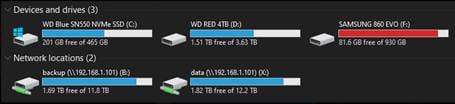
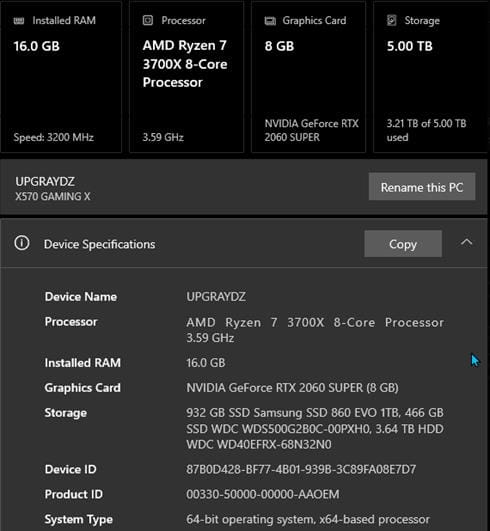
This is where I started asking around. My setup isn't exactly simple — AMD CPU, Nvidia GPU, 144hz monitor, steering wheels, controllers... So I needed something that wasn't going to fight me on hardware. Most of the time, Linux has everything included for stuff to "just work" out of the box; but NVIDIA Drivers are not always.
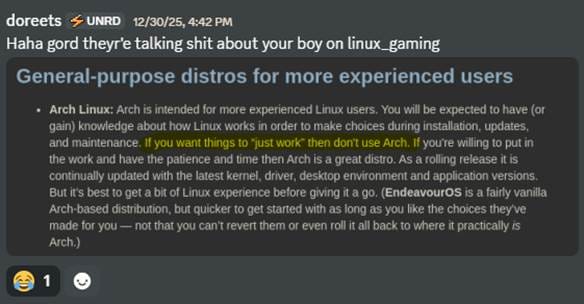
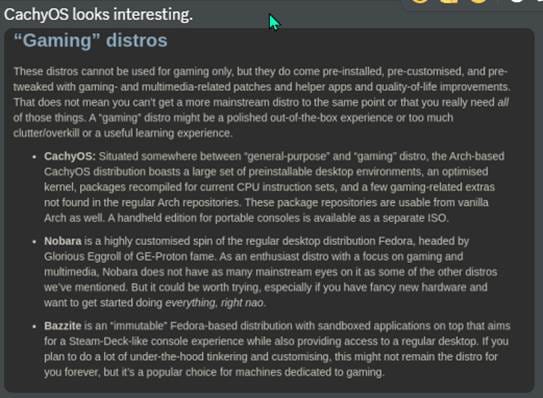
Here's a snippet from the group chat where I was crowdsourcing opinions:
dnurse: Ubuntu?
doreets: nerp
I don't have any reason. I just don't want to. Haha
dnurse: I've had best luck with Ubuntu out of box on my Dell and Lenovo. I go Debian for it being Ubuntu lite™ — I know Gord is gonna love that sentence haha. I stick with debian distros so I don't need to relearn commands.
When it comes to OSes for me it is NOT about the journey haha
doreets: yep especially on the gaming PC. Thing has a lot of different hardware and peripherals attached. Steering wheels and controllers, 144hz monitor. AMD cpu, Nvidia GPU.
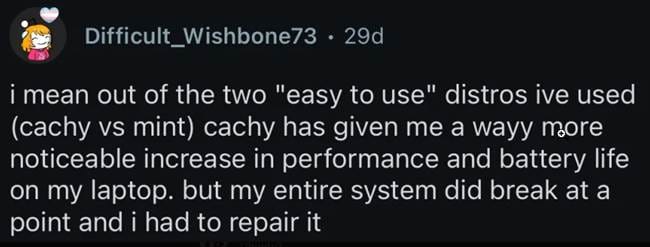
After poking around I landed on PikaOS.
Based on Debian/Ubuntu, ships with GNOME, KDE, and Hyprland versions. Includes NVIDIA Drivers and gaming tweaks. This might be the one.
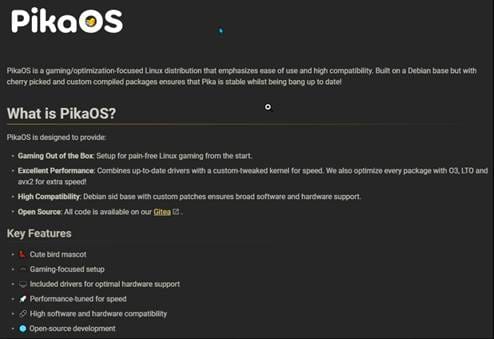
Running it Live First
I had two SSDs kicking around. One with 7377 power-on hours and 86% life remaining... and one that wasn't showing up at all. So. The Crucial it is.
Booted PikaOS in live mode off a USB dock (not even plugged in with SATA, lol) and it just... worked. Detected my wireless headset. GPU detected perfectly on first boot. Multi-monitor didn't work but I figured that was a live mode thing.
Kernel 6.18.2. KDE Plasma 6.3.5.
Me: i dunno gord this PikaOS is pretty fuckin dope so far. It has this wizard on first boot that prompts you to install codecs, install other gaming stuff packaged into a "PikaOS gaming utilities"... Steam, Lutris, goverlay, wine, bottles, blah blah... everything's workin super doopey fast so far. And I'm running off a USB dock lmfao. The drive isn't even plugged in with SATA.
Actually Installing It
Went ahead and installed to the separate drive. Here's what happened next, in no particular order:
Discord.
Spotify.
Chrome.
Steam.
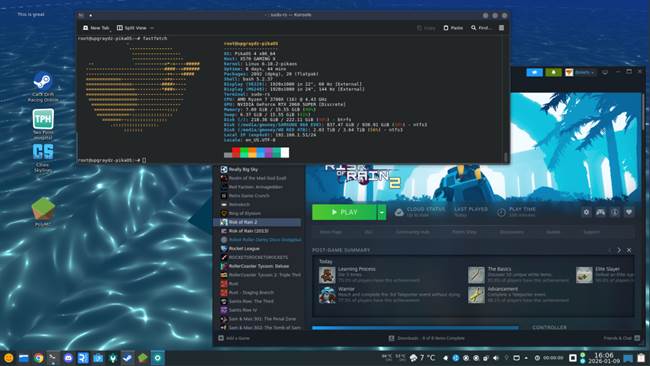
All working perfectly. KDE set up exactly how I want it. Beautiful, moving wallpapers (shaders.) CPU and GPU temps in the taskbar. Timer in the taskbar. Weather. Hover over the volume thingy and middle click to mute. Scroll to change.
Sooo many little quality of life improvements.
Oh and btw — I haven't booted into Windows in weeks now.
OKAY WAIT. The brightness control? It actually adjusts my monitors' REAL brightness through DP and HDMI. Not just a software overlay. It is literally dimming the actual backlight. What the hell!!!
There was one moment of panic when my root partition hit 99% full. Turns out it was Steam's built-in browser trashing 27,000 4MB cache files. Classic. Deleted them, moved on, no actual disruption — I was typing from Discord desktop the whole time while it deleted.
But Does it Game??
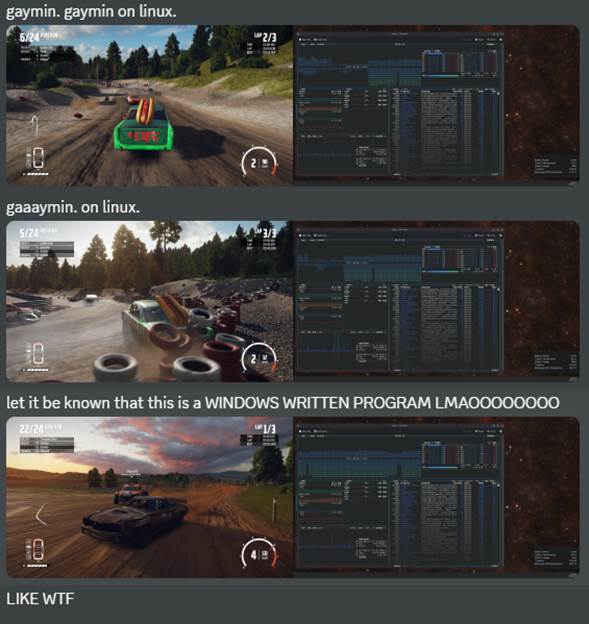
This is the part I was most nervous about. I clicked Play on Wreckfest — a Windows-only game — fully expecting it to explode. Instead it just... ran some compatibility layer stuff and launched. And it felt exactly like Windows. Ran great.
It gives me my whole game library. Because of the compatibility layer stuff, it basically doesn't matter if a game is Windows-only. That's insane to me. Crazy shit man.
Making It Permanent
I was running off a dying SSD and needed to migrate everything to my NVMe. Here's the summary of what I did (with some Gemini help):
1. Trimmed Windows partition down to 250GB on the 500GB NVMe drive
2. Created new partitions matching the format/flags/sizes of the ones on the dying SSD
3. Cloned them using dd from a live Linux environment
4. Set up the bootloader:
sudo apt update && sudo apt install refind -y sudo refind-install --usedefault /dev/nvme0n1p5
5. Unplugged the SSD so rEFInd didn't get confused by duplicate UUIDs
6. Booted from NVMe
7. Claimed the space:
sudo btrfs filesystem resize max /
After that I had "two boots" showing up in rEFInd. So I reregistered the one I actually wanted:
sudo efibootmgr -c -d /dev/nvme0n1 -p 5 -L "Themed rEFInd" -l '\EFI\refind\refind_x64.efi' sudo efibootmgr -o [NEW_NUMBER],000C,0000
And now I have a beautiful, streamlined gaming PC that boots clean and fast.
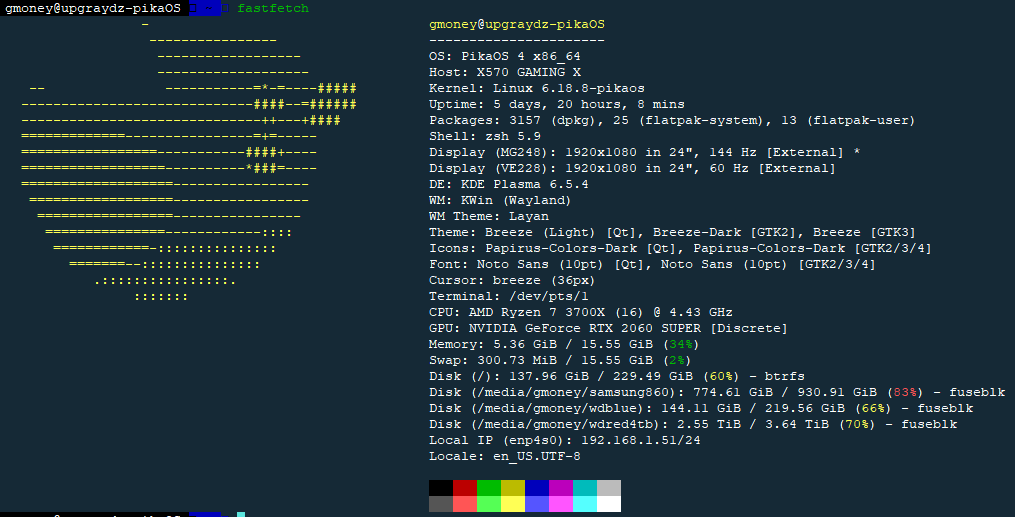
here's the requisite fastfetch.
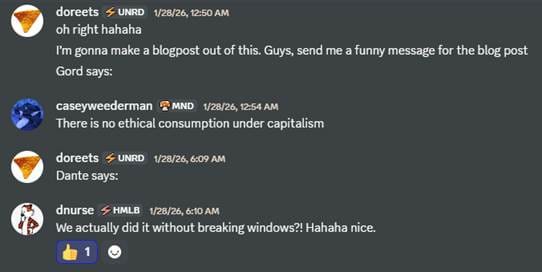
Lisette says:
Final Thoughts
And honestly? wow. I went in expecting to spend a week fighting drivers and crying into a terminal. Instead I just... have a gaming PC that works great and that I haven't booted Windows on in weeks. The shaders are gorgeous, the whole thing is fast as hell, and I'm genuinely having fun with it. I can tune my lighting using OpenRGB. I don't need "Logitech Software" to run my steering wheel. I plugged in my Akai MPD32 for musicmaking and it just worked™️. It all JUST WORKS BRO. GET LINUXMAXXED BRO. SERIOUSLY, BECOME LINUXPILLED. IT'S AMAZING OUT HERE
If you've been on the fence about trying Linux on your gaming PC — especially if you've got a similar setup — honestly just do it. Worst case you learn something. Boot back into Windows and try again later on.
Best case you never look back.